Create a course from a reviewed outline
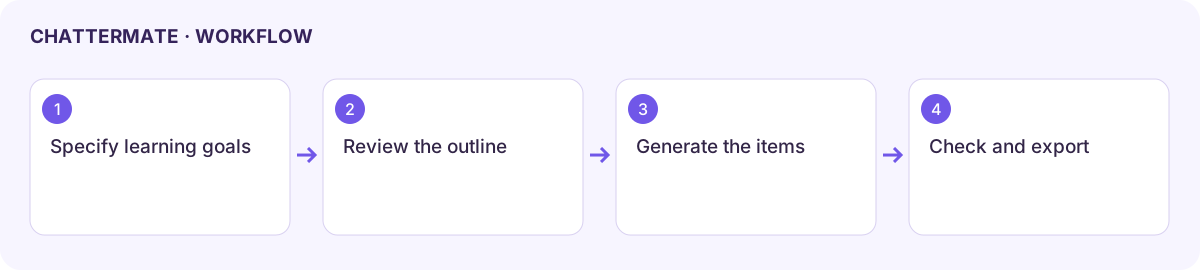
The course workflow turns a learning brief into an outline, then generates the approved items. Use it when the available account tools support course creation. The Courses API covers reading existing course data rather than authoring it.
Review the outline first
Section titled “Review the outline first”- Start a course request through the available Learn skill or course workflow. Specify the audience, level, objectives, length, and required assessments.
- Inspect the outline card: title, description, sections, pages, quizzes, assignments, and duration.
- Read the items inside each section. Available item types include Page, Teacher notes, Quiz, Assignment, and Slides.
- Request outline changes in the conversation before approval. For example: “Keep this to two beginner sections and add a short check after each one.”
- Choose Generate course only when the outline is ready. Review any output-template selection; an LMS import template describes a target schema, not a universal export format.
Follow generation and review the course
Section titled “Follow generation and review the course”Keep the progress panel open while items are generated. A completed outline is not a completed course. Inspect individual item statuses and any failed step before leaving.
Open the course navigator to move between sections and items. Check the factual content, answer keys, assignment instructions, and slide order. Confirm that each objective has practice or an assessment, then refine the relevant item through the available chat controls.
Return or import
Section titled “Return or import”Reopen the saved conversation or available Library course entry. Inspect the status after a reload before approving again. Use the supported archive or file export for your destination; inspect the files and test a small import before distributing a complete course.
If generation fails partway through, retain the existing course and failed-item details. A missing course workflow may reflect release or account configuration rather than an error in the prompt.
Workflow at a glance
Section titled “Workflow at a glance”